
5 min read
Homepage Inline Promotional Module
Redesigning the homepage inline module to increase user engagement and support flexible + dynamic marketing content.
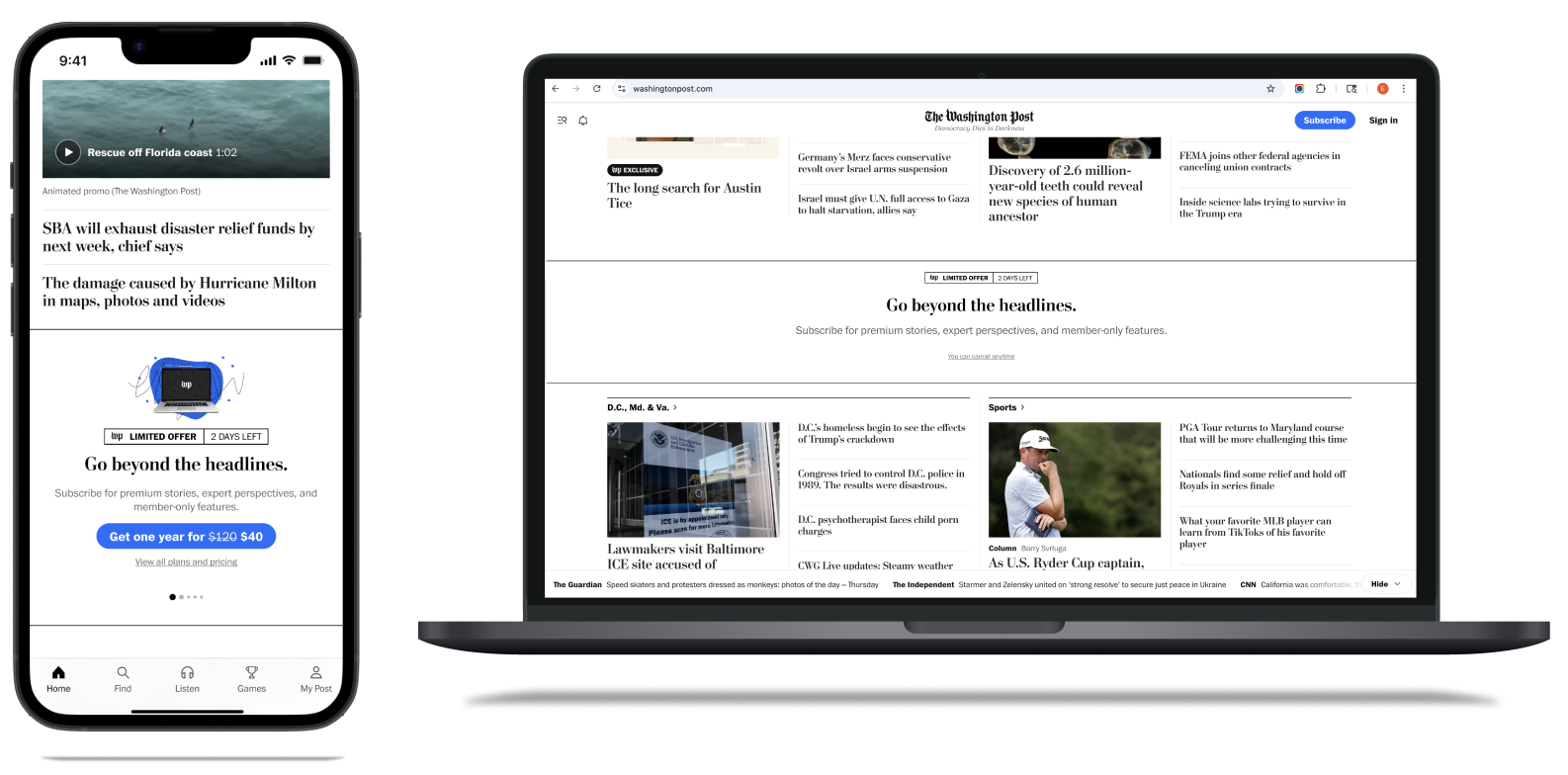
My Role
Product Designer
Team
1 Project Lead
Marketing + Product Partners
Tools
Figma
Project Detail
Monetization Rotation
2 weeks (July 2025)
Project Background
Redesigning the homepage inline module to boost engagement and support flexible marketing content.
The Washington Post currently features an inline promotional module on the homepage, primarily used by the marketing team to highlight new features, subscription offers, and other key initiatives. To address low engagement and an outdated design, I led a redesign focused on improving visual appeal, increasing flexibility, and aligning with brand standards. The updated module allows marketing to easily tailor content, layout, and CTAs without developer support, ultimately driving better user engagement and supporting a range of promotional needs.
Problem
Outdated, low-performing module with limited flexibility.
The homepage inline module had seen low engagement and hadn’t been updated in several years, resulting in a dated look and limited flexibility. It no longer met the needs of the marketing team, who required a more adaptable, brand-aligned solution to promote subscription offers, new features, and editorial campaigns effectively.
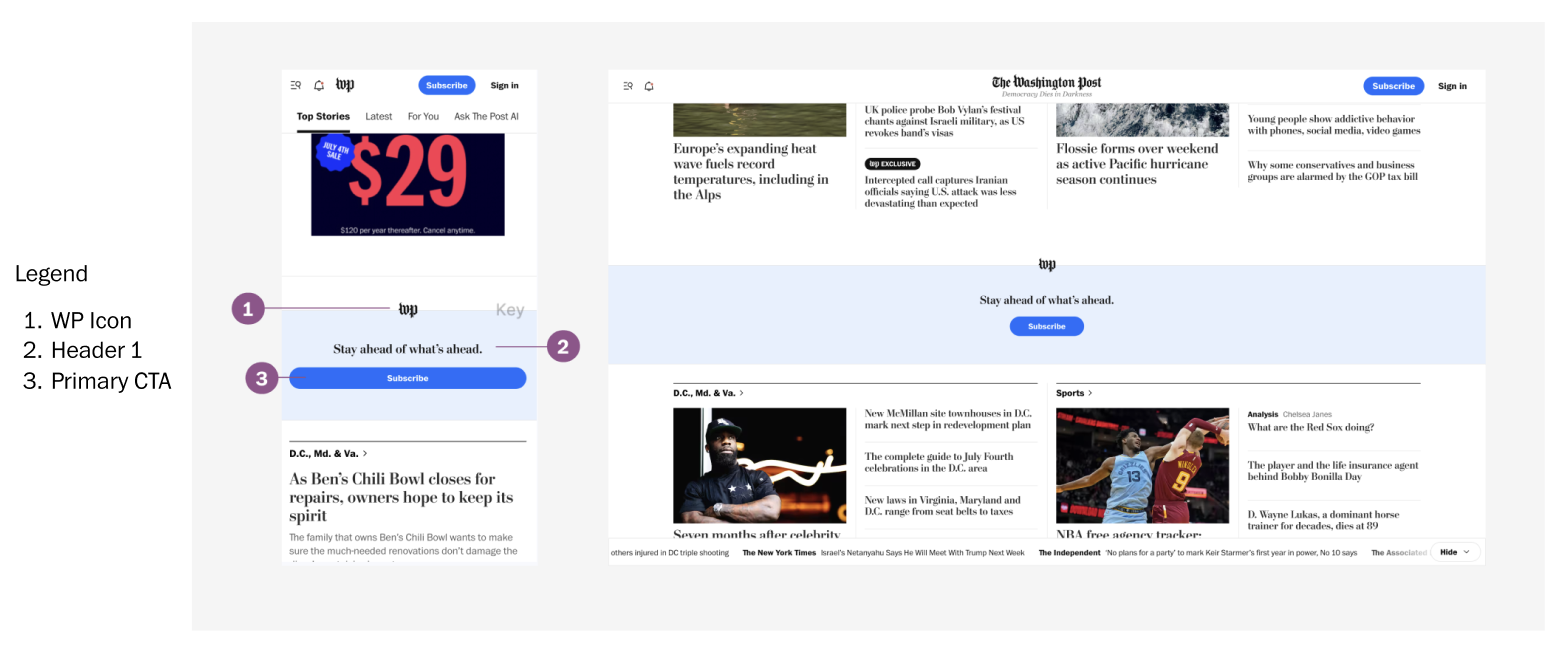
Baseline Anatomy of current inline module showing dated design with limited customization options
Solution
Built configurable components for easy marketing customization aligned with The Washington Post’s brand.
I developed a flexible set of configurable components - Image, Promo Label, Header 1, Header 2, Primary and Secondary CTAs, and Pagination - in order to modernize the homepage inline module. My redesign empowered the marketing team to quickly customize content and layout without developer help, while delivering a cleaner look that aligns with The Washington Post’s current brand standards.
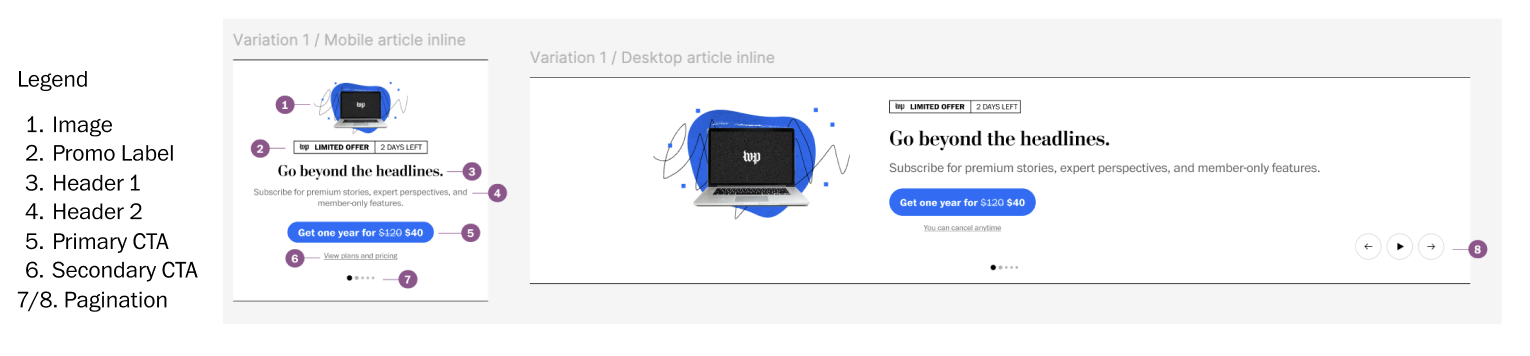
My Proposed Anatomy showing configurable components with improved visual hierarchy
Outcome
Increased marketing team efficiency with easy content updates, improved user engagement through a cleaner design, and stronger brand consistency on the homepage.
Team can now update promotional content independently without developer support
Marketing Efficiency
Enhanced visual appeal and clarity leading to increased engagement
User Experience
Brand Consistency
Stronger alignment with The Washington Post's current brand standards
How might we modernize the homepage module to boost engagement, allow easy marketing updates, as well as stay seamless for users?
Competitor Audit
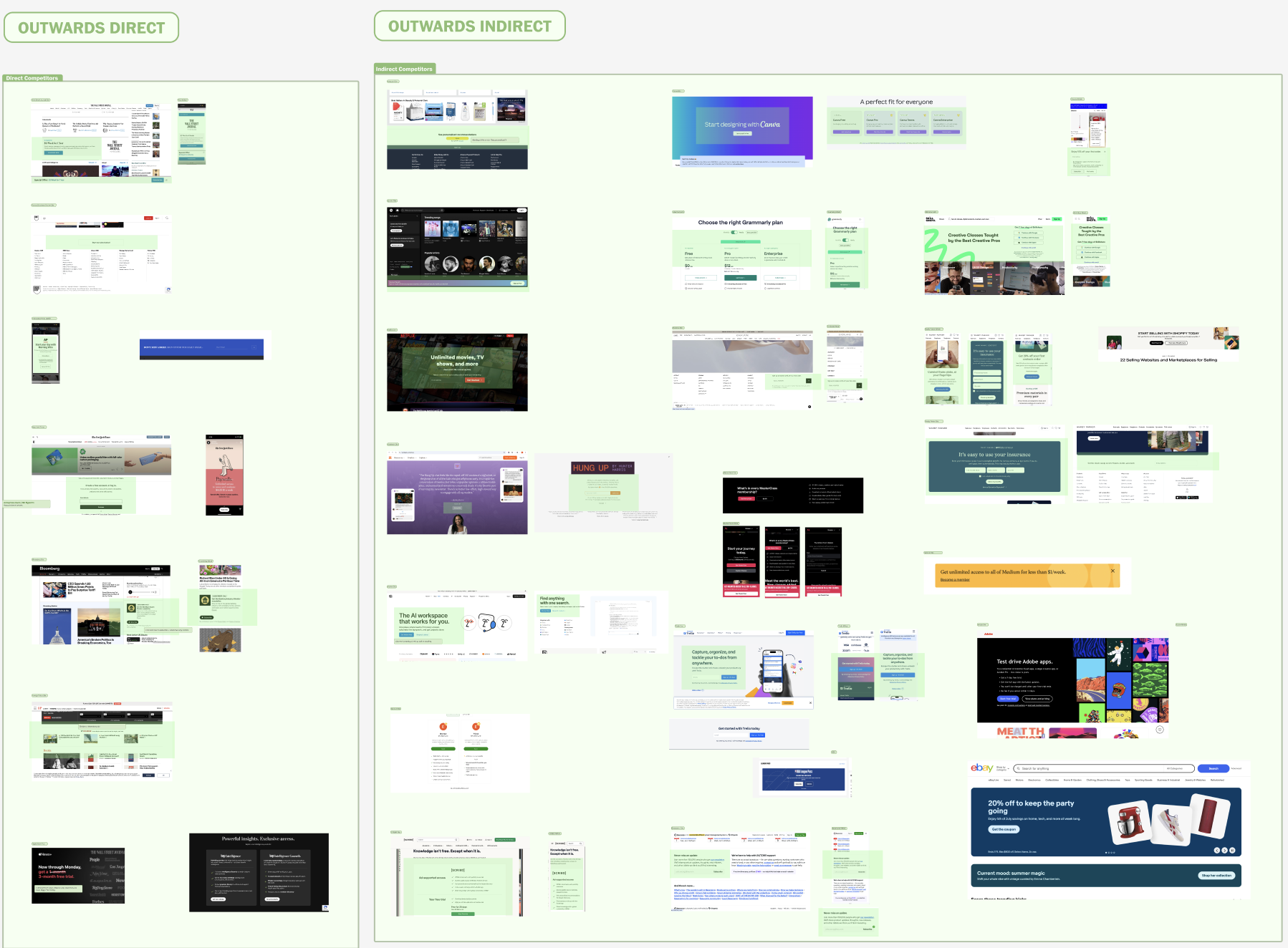
Analyzed promotional strategies across indirect + direct competitors to identify best practices and differentiation opportunities.
I audited how leading news organizations handle homepage promotional content. Most sites rely on static banner placements that feel disconnected from the editorial experience.
The New York Times stood out with seamless subscription prompts integrated within content flows, while competitors like CNN and WSJ used more sidebar like promotions. Overall, promotional elements that were seamlessly integrated into the reading experience performed significantly better.
Insights
Due to the sensitivity of internal data, only high level behavioral insights are included here.
Subscribers visit often throughout the day and actively engage with full stories.
Non-subscribers visit less frequently and tend to skim headlines without clicking.
Users expect fresh content, especially in the mornings and during breaking news.
There’s clear potential for personalization based on user location and interests.
Insights from User Behavior
So how exactly did this inform my redesign?
These patterns guided the homepage redesign toward a more flexible + modular layout, making it easier to highlight timely + relevant content for both loyal readers and casual visitors.
Explorations
Early explorations focused on layout flexibility, visual hierarchy, and adapting to different types of promotional content.
In the early design phase, I explored a range of layout and content variations to test how the module could adapt to different promotional needs. The goal was to balance visual hierarchy with flexibility, so that the component could support various types of content while remaining brand aligned and easy to update without developer support.
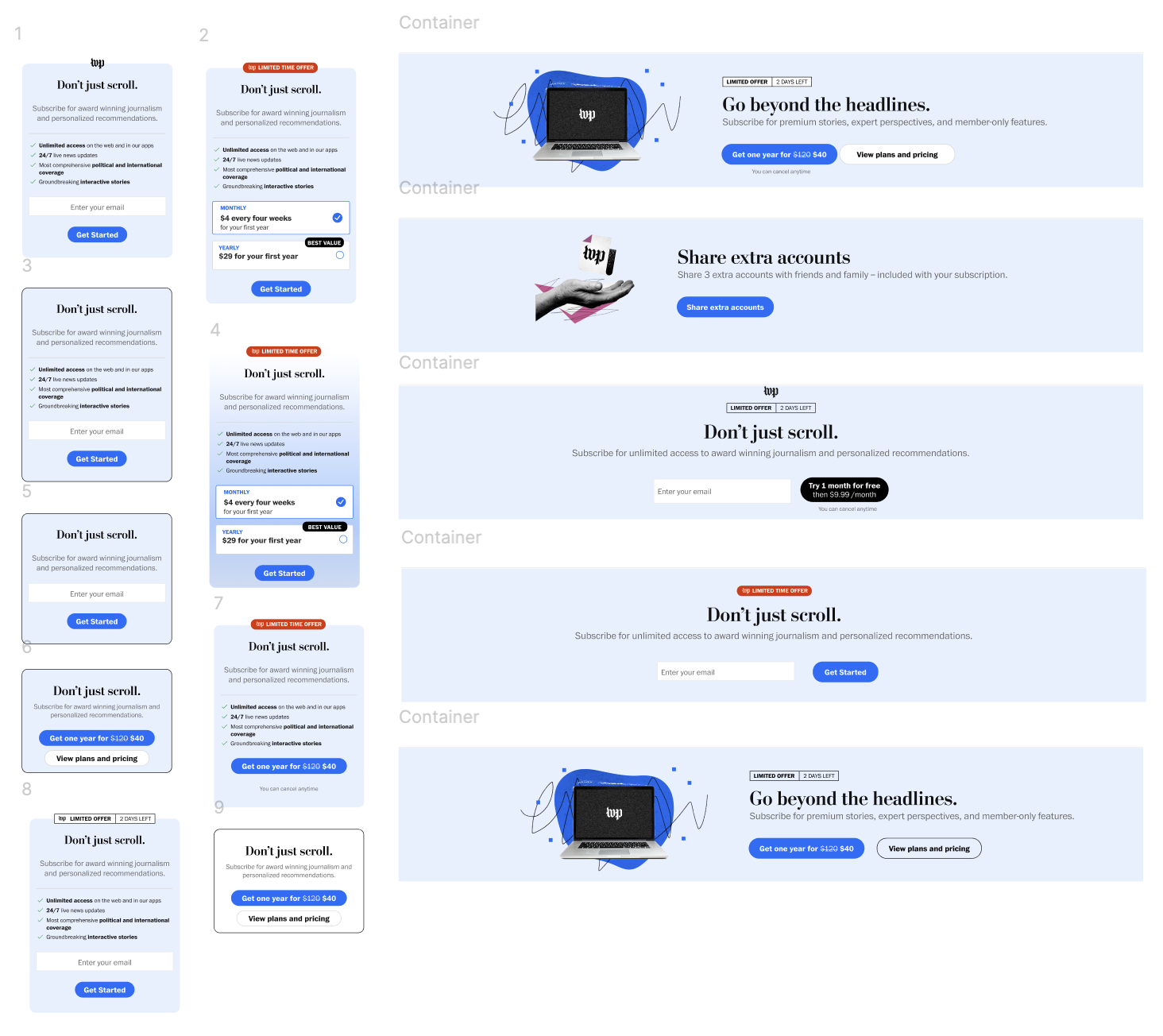
I refined my designs through variations to test flexibility, responsiveness, and visual clarity (a lot!!!! of pressure testing!)
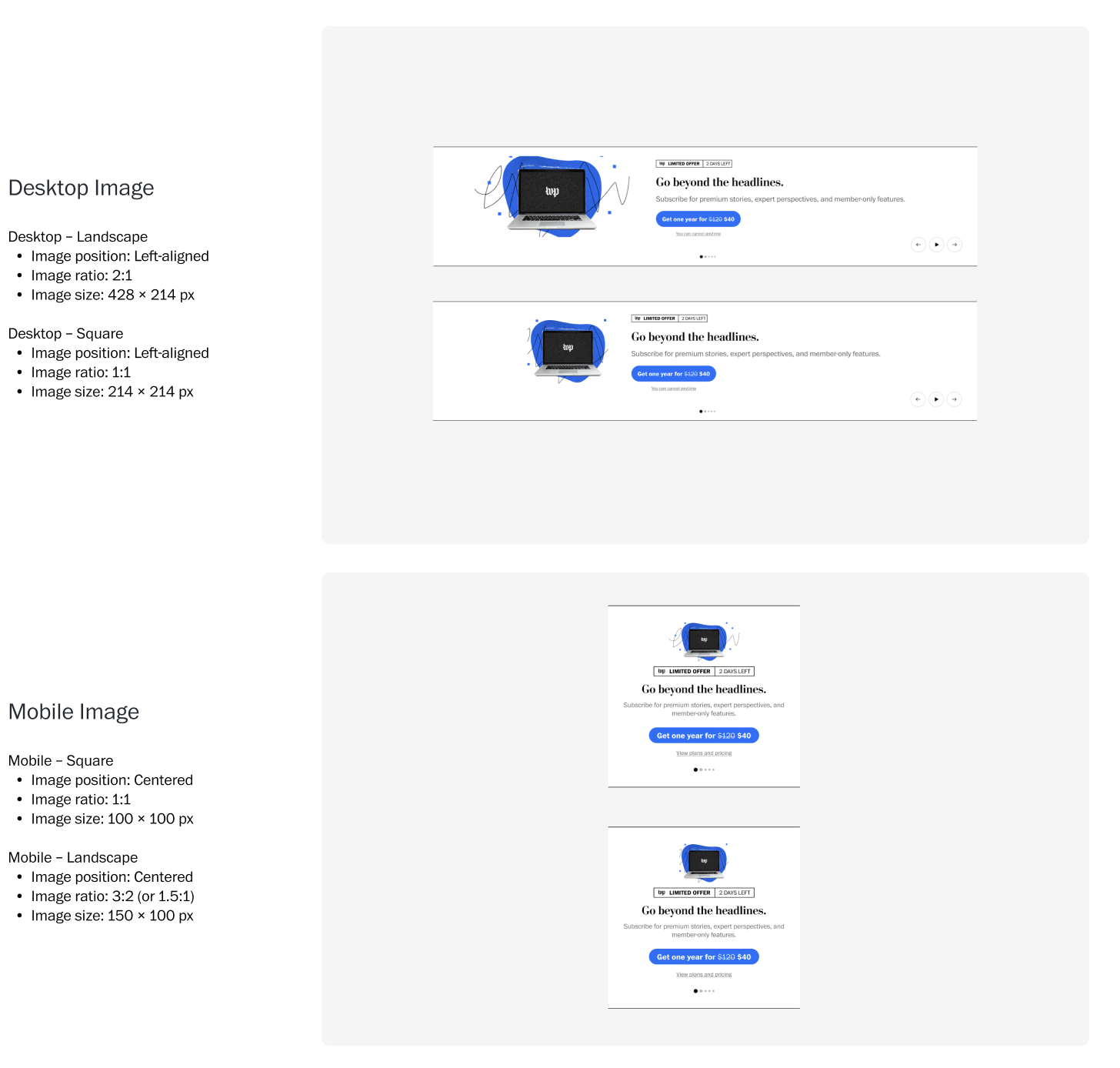
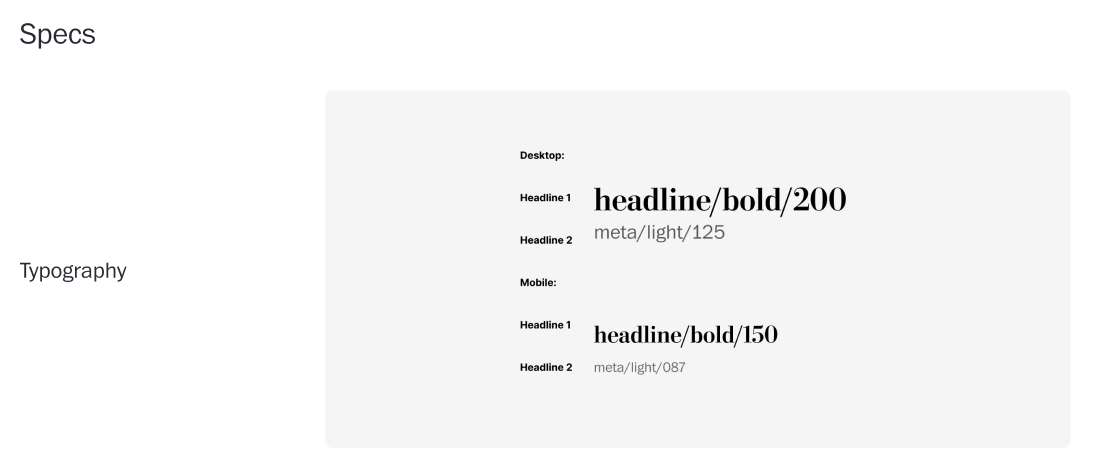
Defined desktop and mobile sizing for images and text
Created rules for handling different image shapes across breakpoints
Ensured consistent spacing, padding, and scaling across screen sizes
Maintained brand consistency while allowing flexibility in content layout
Visual + Layout Exploration
Tested variations in text alignment, typography, and hierarchy
Explored different text alignments and typography styles
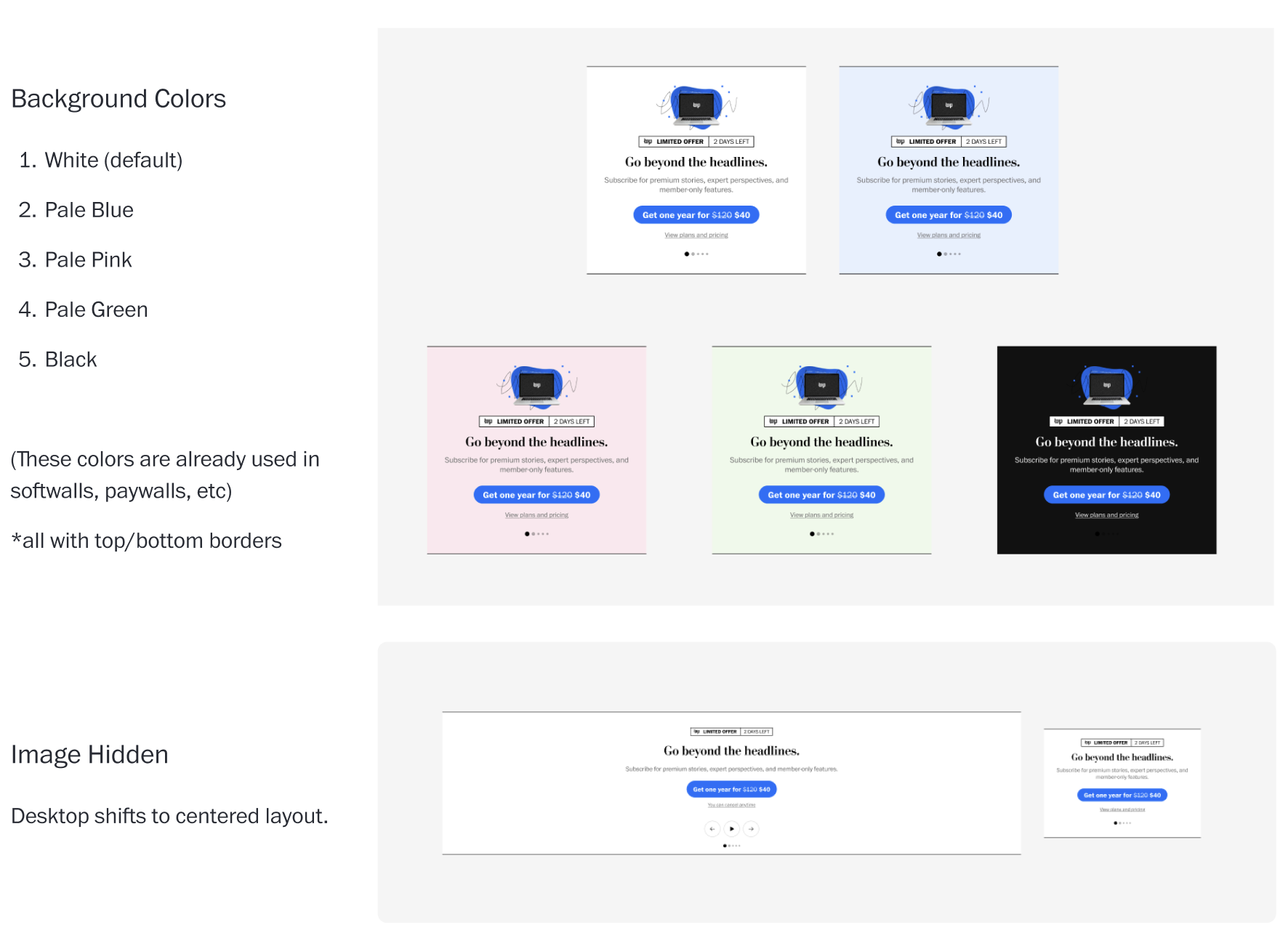
Tested various background color options for visual impact
Experimented with image ratios like landscape and square
Adjusted text placement to enhance readability and hierarch
Responsive Behavior + Specs
Component Design
Flexible Component Architecture for Promotional Module
Rigid templates limited marketing’s ability to align messaging with layout so…
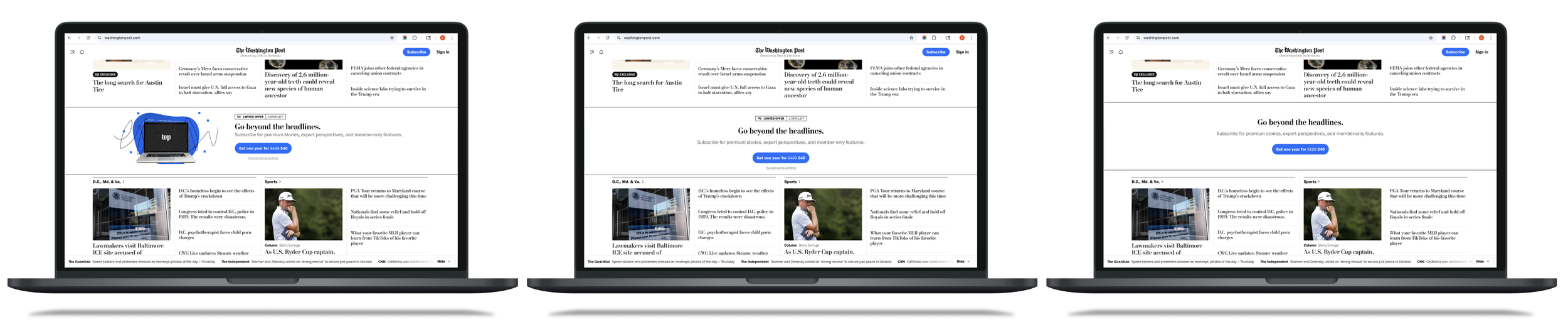
I designed a modular, toggle-based system that adapts to any content strategy without sacrificing visual consistency.
Each element within the module can be turned on or off independently, giving the marketing team control over structure and messaging. The system ensures cohesive design across all variations, solving the inflexibility of previous templates.
Promo Label: Promotional tags / badges
Header 1: Primary headline with brand typography
Header 2: Secondary supporting text
Primary CTA: Main action button with WaPo styling
Secondary CTA: Supporting action with subtle styling
Pagination: Navigation for multi content modules (follows home page template)
Key Learnings
Designing for internal workflows is just as important as designing for end users!!
This project helped me see that good design isn’t just for the end user. The marketing team needed tools that made their workflow faster and easier. I learned that if a system looks good but is hard to use behind the scenes, it’s not truly well designed.
1. Internal teams are users as well
The marketing team needed speed and control. The homepage audience needed a clean and consistent experience. I learned how to design solutions that work for both, without compromising either side. This helped me think more broadly about who I’m designing for!
2. Design balances different needs
The modular system gave the team clear rules, but also more flexibility. Instead of fixed templates, they could mix and match parts to fit their content. I learned that setting limits can actually make a system more creative and easier to scale.